
Members | About Workshops | Services for Missourians | News
Dignified and meaningful employment
for people with disabilities
Timely Cybersecurity Presentations at Fall Conference
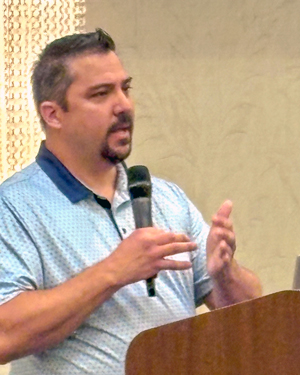
Jon Lober of NOC Technologies gave an in-depth look at cybersecurity for workshops at the Fall Conference.
Jon Lober, CEO of NOC Technologies, shared several free and low-cost steps that workshops can follow to avoid what can be serious issues.
Lober noted that 91 percent of cyberattacks come from email and that most can be defeated with staff training on the SLAM method.
The SLAM method is a cybersecurity technique to identify phishing emails. Staff members should be trained to use this method with every email:
• S stands for Sender (check the sender’s legitimacy),
• L is for Links (hover to verify destinations),
• A is for Attachments (treat unexpected files with suspicion) and
• M for Message (look for poor grammar, spelling, or urgent requests).
Here’s how it works:
Several MASWM members recently received an email supposedly from President Tim Poepsel. However, by right clicking “Tim’s” email (on most systems), the actual sender address is revealed. In this case, it was not Poepsel’s but someone using “frontquotedesk@gmail.com” (other addresses were also used). In other words, they “spoofed” his email, like this:
From: Tim Poepsel <frontquotedesk@gmail.com>
Learning to reveal the actual sender address is a simple but important tool you and your staff should know.
Next, remember never to click on any links in a suspect email. If it’s a phishing email, a frequent trick is to have a link that leads you to a bogus web page that contains tricks to take money or worse. Again, if in doubt, you can hover your cursor (or right click, depending on the system) over the address and see where it actually goes. And be alert for “near misses.” The address “ChaseFriends.com” is NOT the same as “Chase.com,” for example.
Attachments are unfortunately a good way to load viruses, trojan horses or newer ransomware into your computer. “Zip” files are often used but almost any attachment can include malicious code. If there’s any doubt, and especially if the above sender and link checks raise alarms, don’t download or open any attached files.
Message tip-offs to dangerous email can be easy to miss if you’re not looking for them – and easy to spot if you are. Bad grammar, misuse of words or other signs of poor English are common. “Urgency” is a less obvious tip-off: “respond within 24 hours or your account will be frozen…” is a typical trick.
All cyber threats are too varied to list here, but one strategy that often stops many is having a rock-solid backup system. Lober noted the 3-2-1 method is the gold standard.
The 3-2-1 backup rule is a data protection strategy that requires users to have three copies of their data, stored on two different types of media, with one of those copies kept in a separate, off-site location to prevent data loss from hardware failures, local disasters or cyberattacks. It provides a robust foundation for data resilience by ensuring that at least one backup copy will survive, even if others are affected by a localized event.
While much of this does take time and attention, Lober noted one area where things are better: If you have good passwords, you probably don’t need to change them unless there’s been an incident. Passwords generally should have at least 15 characters, including letters, numerals and special characters. “Password123!” is not good!
Lober also recommended using automatic backups for all devices, as that ensures the device has the latest software with updates to combat recent hacks, etc.
More information is also available on Lober’s presentations and video in the password protected Resource Library. Information for access to that online area has been sent to members.